|
|

|
|
Size: |
3 Kb
|
|
Upload Date: |
12.01.2011 - 11:41
|
|
Vote for us thanks! |
Note
0
bei
0
Bewertungen
|
|
Titel:
|
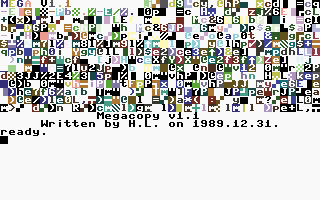
MegaCopy V1.1
|
|
Total Downloads: |
6
|
|
Last Download Date: |
Today, 29.09.2026 - 5:01
|
|
Views:
|
162
|
|
Picture: |
|
|
Download Link:
|

|
|
Description: |
Sprache:
Englisch
How to...
Keys:
F1 -- Set autostart address in hex (0 for RUN)
F4 -- Check set autostart address
F2 -- Play the tape on the computer sound output (Run/Stop breaks)
F5 -- Save a copy of the copy
F3 -- List the autostart address of last loaded file (see below)
F6 -- Continue loading a Her Turbo / Her V1.x / Mega V1.x recorded file (see below)
HELP -- Activate turbo and save file. (Don't forget to enter ,7 after the save command!)
F7 -- Disable autostart
The turbo routine was created on the base of the C64 compatible turbo by György Rétvári, published in "Mikro Magazin" (a Hungarian mag) in 1986. Other code was created from scratch.
(As a side-effect -- the copy will work with both full- and halfwave tap files).
The "kernal" tape header part of the recording is greatly shortened; blocks are written only once, the turbo loader routine fits the tape buffer etc.
To copy files:
-- Optional: You can listen to the tape by pressing F2.
-- Load files with simple Load
-- Optional: if the file (to be loaded and copied) is known to autostart, press Run/Stop once the file is found, and press F6 to continue loading. This will 1.) disable the autostart, and 2.) store the autostart address. This will work with Her Turbo / Her V1.x / Megacopy recorded files _only_.
-- Press F7 to restore screenmode (which is reset by most known turbo loader routines as their last step). This will also clear previously forgotten autostart-settings ;) .
-- Optional: press F1 to set autostart address (in DECIMAL). For RUN, enter 0. If the file was to be autostarted, you can check the original autostart address by pressing F3. ($8BCD will most likey mean RUN).
-- Press HELP to activate the custom save routines, and save the file. Enter filename, the closing '"' and ",7" (device number is 7). Optionally, you can also save from Monitor, just as you like it.
-- Repeat from step one ;)
That's about it all...
|
|
|
|
|
COPYRIGHT NOTICE:
The material presented on this website are copyright to its respective owners/composer(s) and/or
release/publishing company(s). We does not own the copyright to ANY of the material provided on this side.
If you own the rights to any material on this site but wants it removed, contact
us. We'll respect your decision!
We have collected the stuff to make sure we preserved the part of history we took part in. It's our view that these games are no longer commercially interesting and won't harm any legal business, hence this is not piracy in our view, even if it's strictly legally technically is!
If you run or represent a business, which feel that this collection harm your business in any way, then please let us know and we'll happily remove the part disturbing you. The intention is not to cause harm, but to spread a part of the history we're proud of! Legal notice
|