|
|

|
|
Size: |
2 Kb
|
|
Upload Date: |
5.02.2012 - 14:56
|
|
Vote for us thanks! |
Note
0
bei
0
Bewertungen
|
|
Titel:
|
3-D Tic-Tac-Toe
|
|
Total Downloads: |
9
|
|
Last Download Date: |
1.11.2026 - 11:16
|
|
Views:
|
249
|
|
Picture: |
|
|
Download Link:
|

|
|
Description: |





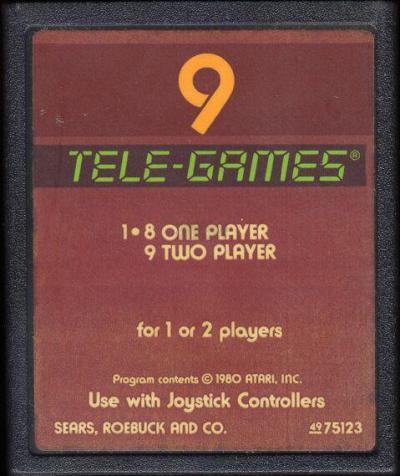
3-D TIC-TAC-TOE
Game Program Instructions
Model CX-2618
Atari - A Warner Communications Company
Atari, Inc., Consumer Division
1195 Borregas Ave., Sunnyvale, CA 94086
(c) 1980 Atari Inc.
Use your Joystick Controllers with this ATARI Game Program. Be sure the
Controllers are firmly plugged into the LEFT and RIGHT CONTROLLER jacks at
the rear of your ATARI Video Computer System. Hold the Controller with the
red button to your upper left toward the television screen.
Use a joystick plugged into the LEFT CONTROLLER jack for one-player games.
See Section 3 of Your Video Computer System Owner's Manual for further
details.
Note: Always turn the console power switch OFF when inserting or removing an
ATARI Game Program. This will protect the electronic components and prolong
the life of your ATARI Video Computer System.
>> INTRODUCTION
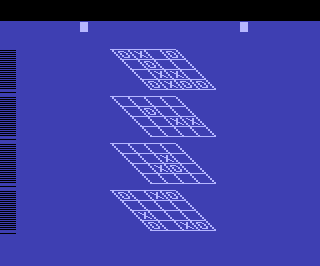
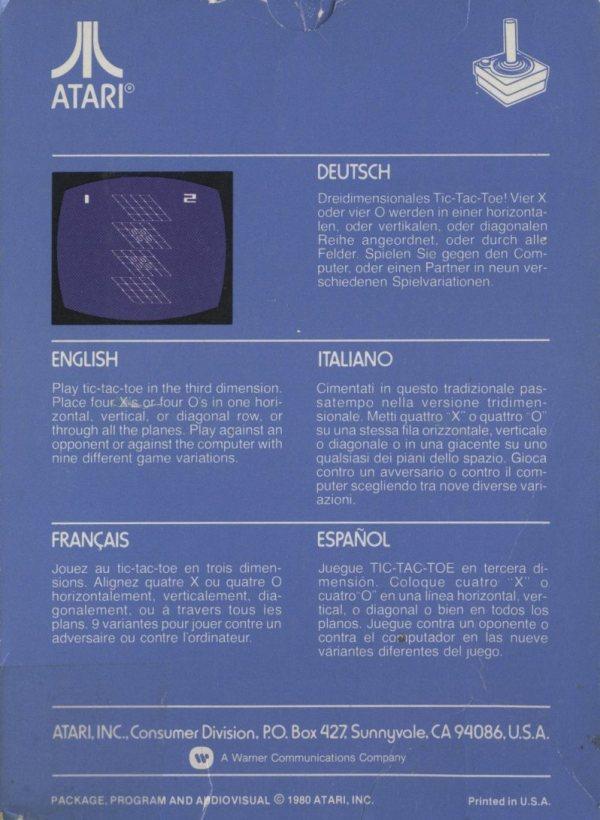
In this game there is a perspective drawing of four square boards or planes
displayed on the screen, which is intended to create a three-dimensional
effect. Each board is a 4 x 4 grid. The object of the game is to place four
X's or four O's in one horizontal, vertical, or diagonal row. To do this you
may use one plane or all four planes.
[picture of game screen omitted]
You must place four markers in a row before your opponent does, or before the
computer does, to win. There are nine games in all. The first eight games for
one player competing against the computer. Each game number (1-8) is a
progressively harder skill level. Game 9 is for two players.
The following examples show some of the ways to win using only one of the
four planes:
________________________
OO
____________________
OO
____________________
OO
____________________
OO
____________________
________________________
XX
____________________
XX
____________________
XX
____________________
XX
____________________
________________________
OO
____________________
OO
____________________
OO
____________________
OO
____________________
________________________
____________________
____________________
____________________
XX XX XX XX
____________________
Here are some of the ways to win using all four planes:
________________________
____________________
____________________
____________________
XX
____________________
________________________
____________________
____________________
XX
____________________
____________________
________________________
____________________
XX
____________________
____________________
____________________
________________________
XX
____________________
____________________
____________________
____________________
________________________
OO
____________________
____________________
____________________
____________________
________________________
____________________
OO
____________________
____________________
____________________
________________________
____________________
____________________
OO
____________________
____________________
________________________
____________________
____________________
____________________
OO
____________________
________________________
XX
____________________
____________________
____________________
____________________
________________________
XX
____________________
____________________
____________________
____________________
________________________
XX
____________________
____________________
____________________
____________________
________________________
XX
____________________
____________________
____________________
____________________
________________________
____________________
____________________
OO
____________________
____________________
________________________
____________________
____________________
OO
____________________
____________________
________________________
____________________
____________________
OO
____________________
____________________
________________________
____________________
____________________
OO
____________________
____________________
________________________
XX
____________________
____________________
____________________
____________________
________________________
____________________
XX
____________________
____________________
____________________
________________________
____________________
____________________
XX
____________________
____________________
________________________
____________________
____________________
____________________
XX
____________________
________________________
____________________
____________________
OO
____________________
____________________
________________________
____________________
____________________
OO
____________________
____________________
________________________
____________________
____________________
OO
____________________
____________________
________________________
____________________
____________________
____________________
OO
____________________
In total, there are 76 possible ways to win. It is not possible to win by
using two or three planes, you must use one or all four.
>> TO BEGIN PLAY
After inserting the cartridge, turn your television on and then flip the
console power switch on. The display will show the four square boards or
planes and the number 1 will appear on each side of the top of the screen.
The left number 1 represents the game number (or skill level), and may be
changed by depressing the game select switch on the console.
The right number 1 corresponds to the number of players for each game. This
number changes automatically to 2 when the ninth game is selected.
Depress the game reset switch to begin a new game. The game number remains
the same when the game reset switch is depressed. The game number only
changes when the game select switch is used, or when the power is turned on
and off.
>> USING THE CONTROLLERS
To move your "cursor" (the blinking X or O) right or left, move the Joystick
right or left. Your cursor will wrap around (disappear on one side of the
level or plane and appear on the other side). Move the Joystick forward to
move your cursor up from square to square or to a new level as it reaches the
top of a plane. To move the cursor down in the same manner, move the Joystick
back or toward yourself. Put the Joystick in a diagonal position and the
cursor moves diagonally on the screen, and also moves from level to level.
To place an X or an O on the screen, press the controller button when the
cursor is in the square you wish to occupy. The last move made is indicated
by a blinking X or in the appropriate square.
The computer will not allow a move to an occupied square. It will sound an
error message when a player presses the controller button in an attempt to
move into a square which is already occupied.
>> SKILL LEVELS
Each game number represents a progressively harder skill level. The game
numbers and skill levels therefore are interchangeable. The only exception to
this is Game 9. Game 9 is for two players, and the skill level is not
applicable.
Game 1 is the least difficult to play against, Game 8 is the most difficult.
At level 1 the computer moves quickly and is fairly easy to beat. At level 8,
the computer may think or "compute" for as long as 20 minutes before making
its move and is very difficult to beat. Check the Game Matrix for the number
of moves the computer looks ahead during each skill level, as well as the
compute or move time for each level.
When the computer is working on its next move, the TIC-TAC-TOE boards are not
displayed. Instead, various colors appear on the screen. Depressing the game
reset switch or moving the difficulty switches when this is happening has no
effect on the game. However, depressing the game select switch will cause the
computer to move almost immediately, without changing the game number.
If the computer is NOT computing its next move, the skill or game may be
changed during a game by depressing the game select switch.
>> DIFFICULTY SWITCHES
The right difficulty switch determines who will began a game. For one-player
games, when the switch is in the a position, you start; when the switch is in
the b position, the computer starts. In two-player games the right difficulty
switch determines whether X or O starts. In the a position, the X player, or
the player using the Joystick plugged into the LEFT CONTROLLER jack starts.
In the b position, the O player (using the RIGHT CONTROLLER jack) starts.
The left difficulty switch may be used to create a "set up" mode on the
screen. To do this, put the switch in the a position. You may then use the
Joystick plugged into the LEFT CONTROLLER jack to place X's or O's anywhere
on the screen. Press the controller button to place markers. Hold the button
down and the cursor alternates between X's, O's and blanks on the screen so
that you may place whichever you wish in the desired square.
Whenever you place the left difficult switch in the b position, TIC-TAC-TOE
is ready for normal game play. After using the set up mode, either X or O may
play first. This is determined by the position of the right difficulty
switch, the same as at the start of the game.
>> STRATEGY
To beat the computer or another player, you must place two three-in-a-rows so
that the opponent cannot block both of them. Occasionally, you may win when
an opponent fails to see that you have three-in-a-row, but that method
involves more luck than strategy.
At higher skill levels, placing three-in-a-row becomes difficult. One of the
secrets to playing winning TIC-TAC-TOE is to play in the 16 "strong" squares
at the beginning of a game. The 16 strong squares are the eight outside
corner squares, and the eight inside center square.
"STRONG" SQUARES X = outside strong squares
O = inside strong squares
________________________
XX XX
____________________
____________________
____________________
XX XX
____________________
________________________
____________________
OO OO
____________________
OO OO
____________________
____________________
________________________
____________________
OO OO
____________________
OO OO
____________________
____________________
________________________
XX XX
____________________
____________________
____________________
XX XX
____________________
Try to take over or dominate planes. The four TIC-TAC-TOE boards represent
horizontal, vertical, and diagonal planes. When you place three or four
markers in one plane and your opponent has none, you can probably win.
Continue to force the opponent to block until you have two three-in-a rows
which cannot both be blocked in one move.
When planning your moves during a game, don't lose sight of the fact that
your opponent is doing the same. Blocking your opponent's markers is equally
important to establishing a strategy of your own.
It has been proven that first player to move can always win, provided he or
she plays a perfect game. The computer on the other, has a degree of
randomness programmed into its play, so it will not always play a perfect
game, even at the highest skill level (8). This gives the opponent a chance
to win, if he or she is a skill player.
>> GAME MATRIX
Difficulty Number of Moves the Computer's Approximate
Level Computer Looks Ahead Move Time
1 1 1/2 second
2 2 3 seconds or less
3 3 1 minute or less
4 4 3 minutes or less
5 5 10 minutes or less
6 6 10 minutes or less
7 9 10 minutes or less
8 9 20 minutes or less
|
|
|
|
|
COPYRIGHT NOTICE:
The material presented on this website are copyright to its respective owners/composer(s) and/or
release/publishing company(s). We does not own the copyright to ANY of the material provided on this side.
If you own the rights to any material on this site but wants it removed, contact
us. We'll respect your decision!
We have collected the stuff to make sure we preserved the part of history we took part in. It's our view that these games are no longer commercially interesting and won't harm any legal business, hence this is not piracy in our view, even if it's strictly legally technically is!
If you run or represent a business, which feel that this collection harm your business in any way, then please let us know and we'll happily remove the part disturbing you. The intention is not to cause harm, but to spread a part of the history we're proud of! Legal notice
|