|
|

|
|
Size: |
1.98 Mb
|
|
Upload Date: |
15.04.2012 - 15:38
|
|
Vote for us thanks! |
Note
0
bei
0
Bewertungen
|
|
Titel:
|
EMU7800 v1.2 (Windows XP SP3 and higher systems)
|
|
Total Downloads: |
14
|
|
Last Download Date: |
28.09.2026 - 9:16
|
|
Views:
|
3942
|
|
Picture: |
|
|
Download Link:
|

|
|
Description: |
Sprache:
Englisch
1.0 Introduction
This is a release of EMU7800, an Atari 7800 emulator implemented using Microsoft's .NET platform. Most ProSystem (7800) and VCS (2600) titles run well. EMU7800 runs on Windows XP SP3 and higher systems. Performance is sufficient on current hardware.
7800 Emulation Fixes:
Discovered that Asteroids, Pole Position, and Xevious use a scheme to detect the joystick type (2600 vs. 7800) and alters the controller mapping accordingly. Brakes now work in Pole Position and missles and bombs are on separate joystick buttons in Xevious (thanks to Tom Hafner for the hardware report)
Moved VBLANK OFF up by four scanlines, making the track selection screen in Pole Position II work with the joystick (thanks to Tom Hafner for the hardware report)
Added support for the 2600-daptor II device, enabling use of real 7800 joysticks and 2600 keypad controllers
Changed default keyboard bindings such that Z=Left 7800 Fire Button and X=Right 7800 Fire Button (previously transposed)
Serialization fixed for the 78S4 cart type, affecting Karateka, RealSports: Baseball, Tank Command, and Water Ski
Fixed: Integration of .zip format for ROM files prevented use of 7800 BIOS startup screen
Windows Phone: By popular demand, added D-Pad input control
v1.2
EMU7800 now available on Windows Phone Marketplace!
Fixed emulation regressions from prior release that were known to impact KLAX, Ace of Aces, Pitfall, and Grandprix
Restored Keypad controller input for 2600
v1.1
7800 Emulation Fixes:
Xenophobe and One on One Basketball now work (Maria VBLANK incorrectly relied upon DMA enable)
Fatal Run and Rampage now work (CPU ADC instruction bug)
Ballblazer and Commando now have music (Pokey sound support added)
Jinks opening screen speech synth now clear (TIA sound was not sampled at 7800 rate; PAL configuration was incorrect)
Barnyard Blaster and Meltdown are now playable, no title screen bypass on Sentinel prototype (Lightgun emulation corrected)
Tower Toppler works (per the game manual, make sure both difficulty switches are set to "Pro")
Several homebrews and unreleased prototypes are now recognized
Crossbow configuration switched from joystick to lightgun
Added support for 2600-daptor and for Atari 2600 driving controllers through Stelladaptor/2600-daptor. Thanks to Tom Hafner for providing programming information and testing support
Added support for the 2600 32-n-1 cart type
Corrected issue where lost DirectInput8 joystick device would terminate fullscreen DirectX startup
Screenshots are now output to the My Pictures folder
v1.0
Small performance optimization by using 32-bit integer arrays over byte arrays for framebuffer data
Fixed: Broken functionality on Console Tab for configuring unrecognized roms
Fixed: Broken Key Binding functionality in certain scenarios
DirectX: Eliminated synchronization with vertical retrace to make UX acceptable on a wider range of systems
DirectX: Now runs when there is no system audio device available
Custom binary serialization necessary for the Windows Phone platform
Introduced lightweight WebInstaller (ClickOnce) option to prepare for future deprecation of the .msi installer
Upgraded Silverlight version to Silverlight 5
Initial Windows Phone release to Windows Phone Marketplace
More games added to the Silverlight distribution
Added: ROM entry for Pac-Man Collection (an Atari 7800 Homebrew)
v.97
Updated: Consolidated x86 and x64 deployments for simplicity (EMU7800 will run in 64-bit mode when run on a x64 Windows OS)
Added: Self-extracting 7-Zip archive as an alternative deployment option
Fixed: Using highscore cart prevented 7800 titles from running
Fixed: Ungraceful failure when the Windows Audio service is stopped
Fixed: Dependency on the C Runtime Library (CRT) .dll that prevented DirectX from working on machines without the CRT
v.96
Added: Silverlight 4 version
v.95
Updated: Internal refactoring to make the emulator core more platform neutral
Updated: Moved to .NET Framework 4.0
Updated: DirectX dependencies to SDK June 2010
v.91
Updated: DirectX dependencies to SDK March 2009
Added x86 and x64 specific builds
0.90
Updated: Replaced SDL.dll with new EMU7800.Direct.dll for better fullscreen and windowed-mode experience on Vista
Updated: Corrected sound encoding to reduce audible pops
Updated: Fixed minor bugs with new TIA sprite positioning code that affected Demon Attack, Centipede, and Spiderfighter
Added: Key bindings reassignment dialog
0.88:
Updated: Rewrote 2600 TIA sprite positioning code, resolving some known issues
Updated: Moved to .NET Framework 3.5
Updated: SDL.dll to version 1.2.13
0.81:
Added: WPF Host (Windows Presentation Foundation) for better compatibility with Windows Vista
Updated: SDL.dll to version 1.2.11
0.71:
Added: Web browser control on new Help tab, enabling easy reference to this README and online game manuals where defined in ROMProperties.csv
Fixed: 7800 Emulation: 320B mode corrected to correspond to the real hardware—courtesy of Matthias Luedtke (matthias@atari8bit.de)
Updated: Moved to .NET 2.0 and Visual Studio 2005
Updated: SDL.dll to version 1.2.10
Added: Emulator sleeps after each frame is rendered to reduce superfluous CPU consumption (can be tuned via the Console tab)
Updated: Better pause behavior—modal functions are still available during pause
0.61:
Fixed: Emulator continued to run in the background when the window was closed
Progress meter added so the user has something to watch while large ROM directories are examined
Added: High Score Cartridge support (7800)—courtesy of Matthias Luedtke (matthias@atari8bit.de)
Added: Settings are stored in the Win32 registry, so they persist across new versions and recompiles
Updated: SDL.dll to version 1.2.8
Updated: Unified distribution into one single .MSI archive, that can build itself
0.60:
Added: Support for the Stelladaptor controller
Added: Recognizes the now correct 7800 NTSC BIOS. Old 7800 BIOS is still recognized for now, but a warning message appears on the Green Screen log. Thanks to Mitchell Orman (Mitch@atari7800.org) for the information
Numerous minor fixes and documentation updates
0.55:
Added: NOP instruction register dumping (homebrew developer support), activate on the console using cpunop on. Setting will persist between invocations
Added: Button on the Settings Tab that brings up an openfile dialog to load previously saved machine states
Added: Double-clicking on the game select tab will immediately start the selected ROM
Updated: Converted ROM database to a .CSV file: Editable via MS Excel or text editor
Fixed: PAL 7800BIOS startup
Added: Command-line ROM invocation to support various emulator front-ends
Reverted: TIASound to v0.41 version: fixes a sound omission bug
No changes to emulation were made for this release
0.50:
7800 Emulation: Most 7800 titles are now playable
Added: 7800 BIOS startup can be skipped
Added: Both .a78 and .bin 7800 ROMs are supported
Added: Game state save/restore
Added: Mouse-based lightgun support, which works correctly for 2600 games
Added: GUI options for varying emulation speed, etc
0.41:
Substituted use of Managed DirectX with the Simple DirectMedia Layer (SDL). Fullscreen performance is now on par with the most excellent Z26 emulator
Solved the sound syncronization problem; audio now works perfectly
Added: Game controller (joystick) support
Added: mouse-based paddle emulation on SDL fullscreen mode
No changes to emulation were made for this release
0.33:
Further refined the HMOVE emulation, added a few illegal opcodes to enable some of the homebrew titles to work, and fixed several emulation bugs. This cleaned up Pitfall2, and other Activision titles that had visual artifacts.
Fixed: eliminated PIA bugs: no more jittering for Star Fox, Off Your Rocker, Spitfire, Omega Race, Blueprint, and others probably
Fixed: minor missle/ball positioning TIA bug
Fixed: booster grip controller now works right
Fixed: Omega Race rom was being ignored because of its odd size
Fixed: emulator no longer requires one line of VSYNC; this helps one of the Bowling ROMs and others probably
0.32:
Fixed: the file picker on the GameSelectTab hung in certain circumstances
Fixed: Pitfall2 rom was being ignored because of its odd size Cleaned up the distribution by removing some unneeded junk
0.31:
First major release via SourceForge
1.3 Acknowledgements
EMU7800 is a derived work of many people. Please let me know should others need to be included in the following list:
Bradford W. Mott, et al., author of the Stella emulator
John Saeger, et al., author of the Z26 emulator
Dan Boris, author of 7800 emulation in MESS
Greg Stanton, author of the ProSystem Emulator
Andrew Towers, Author of "TIA Hardware Notes: A Small Opus on the TIA"
Ron Fries, Author of the TIASound library
For all things Atari, including game manuals, tips, and community, be sure to visit AtariAge!
1.4 Known Issues
Some screen tearing from not synchronizing to the display refresh rate
2600 homebrews not well supported
No Supercharger support
Need Mindlink controller support
2.0 Installation
2.1 Prerequisites
To run EMU7800, you will need to have .NET 4.0 installed onto your Windows-based computer. You can do this for free via Windows Update. To have the capability to build from the included source code, you'll either need the .NET 4.0 software development kit (SDK) or Visual Studio 2010. EMU7800 was originally developed on a machine with a Pentium 4 Celeron 1.7 GHZ processor (a ten year-old system as of this writing.) This was adequate for excellent emulator performance.
2.2 Installing the Distribution
Click here to install EMU7800 to your computer. This is preferred method of installation. Elevated permissions are not required, and updates are distributed automatically. The program can be uninstalled through the Control Panel by typical means.
2.3 Rebuilding from Source
For the curious, the complete source code is available for download in a .zip archive. The solution and project files are in Visual Studio 2010 format. DirectX dependencies needed by EMU7800.DirectX.vcproj must be copied from the DirectX SDK (freely downloadable.) Helper scripts, COPYDEPS.cmd, are located under EMU7800HostDirectXEMU7800.DirectXDirectXDependencies.
2.4 Game Cartridge Information Database (a.k.a. ROMProperties)
In EMU7800, recognized game ROM files have associated properties that determine the proper execution configuration of the emulator. These attributes are stored in the ROMProperties.CSV file, located in the same directory as the executable. Any editor that can work with .CSV files (e.g. NOTEPAD.EXE and Excelâ„¢), can be used to update the file.
3.0 Running the Emulator
3.1 Default Keyboard Mappings
Key Function
ESC Escape (quit) from the currently running machine/game
Q Swap Stelladaptor/2600-daptor paddles P1/P2 on device 0
W Swap game controller/joystick devices 0/1
E Swap Stelladaptor/2600-daptor paddles P3/P4 on device 1
P Pause the emulator, any other key resumes
M Sound mute toggle
F Show frame rate, emulator execution statistics
R Game Reset Console Switch
S Game Select Console Switch
C Toggle between Color and B/W Console Switch settings
1 Toggle between A/B difficulty for left player
2 Toggle between A/B difficulty for right player
F1 Set keyboard/mouse to player 1 control
F2 Set keyboard/mouse to player 2 control
F3 Set keyboard/mouse to player 3 control
F4 Set keyboard/mouse to player 4 control
F5 Pan display left
F6 Pan display right
F7 Pan display up
F8 Pan display down
F11 Save machine state to desktop
F12 Save Screenshot to the My Pictures folder
Up Arrow Move up: joystick, booster grip
Left Arrow Move left: joystick, booster grip, paddles, driving
Right Arrow Move right: joystick, booster grip, paddles, driving
Down Arrow Move down: joystick, booster grip
X Trigger (Right Fire Button for 7800, Fire Button for 2600)
Z Booster (Left Fire Button for 7800)
NUMPAD7 Keypad 7
NUMPAD8 Keypad 8
NUMPAD9 Keypad 9
NUMPAD4 Keypad 4
NUMPAD5 Keypad 5
NUMPAD6 Keypad 6
NUMPAD1 Keypad 1
NUMPAD2 Keypad 2
NUMPAD3 Keypad 3
NUMPAD* Keypad *
NUMPAD0 Keypad 0
NUMPAD/ Keypad #
3.2 Game Controller/Joysticks
Up to two game controllers (e.g. joysticks) can be used, where the first two found in the device list will be selected for use.
For games that use the paddle controller, the mouse will be used for input unless a Stelladaptor or a 2600-daptor controller is detected. For the uninitiated, these are USB adapters that enable usage of the original Atari controllers. At the time of this writing, the Stelladaptor is no longer is available for purchase. Note the Stelladaptor will be recognized as a 2600-daptor.
The paddle swapping keys (Q and E) are useful when you are using a set of original Atari paddles where one of the paddles is excessively jittery.
On the Atari 7800, Asteroids, Pole Position II, and Xevious include obscure and undocumented joystick detection logic. The computer keyboard will always be recognized by these games as a 7800 joystick. When using the 2600-daptor or 2600-daptor II in 2600 mode, these games will recognize the controller as a 2600 joystick and will cause them to alter their controller mappings accordingly. Once this 2600 joystick remapping occurs, it stays in effect until the console is power cycled.
When using two 2600-daptor IIs for Star Raiders, they may not be recognized in the proper order leaving the keypad on P1 and the Joystick on P2. The easist way to resolve this is to press the W key to virtually swap the adaptors.
3.3 Paddle and Lightgun Emulation
On paddle games, the mouse can be used as the paddle controller. Sensitivity is currently not configurable. The mouse is also used for lightgun games in Fullscreen DirectX mode. Look for a small glowing segment that indicates where on the screen the emulated lightgun is pointed at.
3.4 User Interface
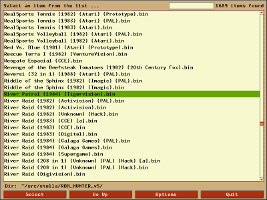
3.4.1 Game Select Tab
Game Select Tab
The number of ROMs recognized in the roms directory is displayed in the lower left corner. To select a new directory, click the Select ROM File button, and navigate to the ROM directory of your choice. When a ROM file is selected, the rest of the directory contents will be scanned and will be presented for subsequent selection.
Open File Dialog
By default, .bin files will be displayed in the Open File dialog. To show .a78 files, use the File Type drop-down.
3.4.2 Settings Tab
Settings Tab
There are several settings that can be adjusted on this tab. Settings will saved, so they will not need to be set again every time the program is launched.
Host Select: Choose between DirectX Fullscreen or DirectX Windowed mode.
Frame Rate Adjust: Adjusts emulator speed relative to the default. Default framerate for NTSC (N. American T.V. standard) games is 60hz, while default framerate for PAL (European T.V. standard) games is 50hz. Persistent rough audio indicates the emulator is not able to run fast enough to keep the sound buffer full. To resolve, continue adjusting the frame rate downwards until the audio smoothes out.
Skip BIOS (7800 Emulation): The real Atari 7800 executes BIOS code on machine startup. To do this on the emulator, the BIOS ROM(s) (one for NTSC, and one for PAL) need to be in the current ROM directory and this checkbox needs to be unchecked. If you do not have the BIOS files or just want to skip BIOS execution, check this box.
Use 7800 High Score Cart (7800 Emulation): For the 7800, there was a cartridge that provided capability for 7800 games to save high score information. Not all games, however, took advantage of this. Set this checkbox to simulate this device—you will also need the associated ROM for this feature to work. EMU7800 will detect the ROM regardless of filename, as long as it is in the current ROM directory.
3.4.3 Console Tab
Console Tab
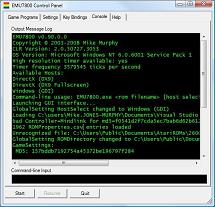
Events pertinate to the execution of the emulator are logged to the Console. Commands may also be issued here to access features not available via the GUI. To see what is available, enter ?.
3.4.4 Help Tab
Help Tab
The Help tab features an integrated web browser control. Two link controls are available, located at the bottom of the control. The README link references this README file on the local system. The Game Help link varies dependent upon the currently selected game, and is intended to reference original game instruction manuals, available online. At the time of this writing, not all games have help URLs defined. URLs can be specified in the ROMProperties.csv file, and more will be included in subsequent EMU7800 verisons. Standard web browser features, like the Back button and Refresh, are available by right-clicking in the browser window.
Note that when the Game Help link is clicked, it will "disable" to indicate the page is loading. It will "re-enable" once loading is complete. If no Game Help URL is available, the link will not be visible.
3.5 External Command-line Options
To support various emulator front-end programs, EMU7800 can be launched with a full filename provided as a command-line argument:
EMU7800.exe "EMU7800 installation directoryromsOYSTR29.BIN" "DirectX (DX9)"
Should the ROM file not be found, be unreadable, or not recognized, the program will terminate with a non-zero return code.
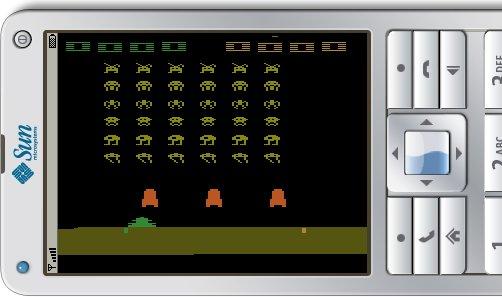
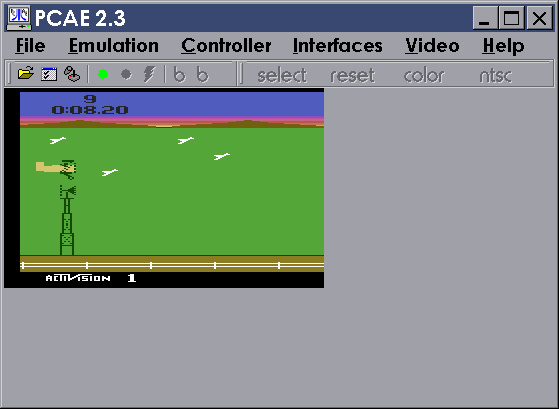
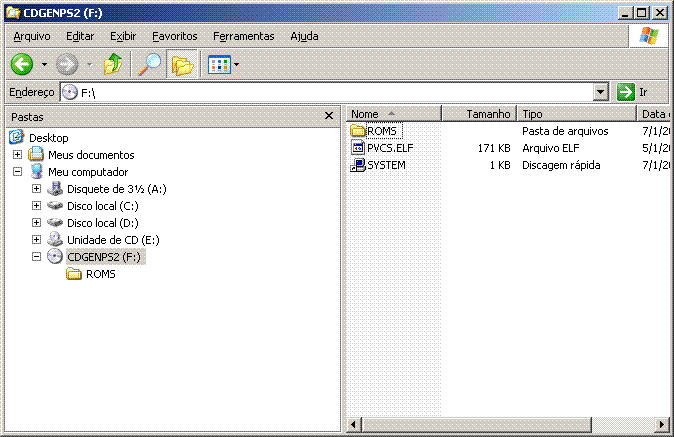
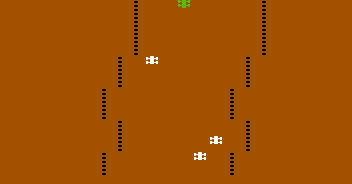
4.0 Screenshot Gallery
|
|
|
|
|
COPYRIGHT NOTICE:
The material presented on this website are copyright to its respective owners/composer(s) and/or
release/publishing company(s). We does not own the copyright to ANY of the material provided on this side.
If you own the rights to any material on this site but wants it removed, contact
us. We'll respect your decision!
We have collected the stuff to make sure we preserved the part of history we took part in. It's our view that these games are no longer commercially interesting and won't harm any legal business, hence this is not piracy in our view, even if it's strictly legally technically is!
If you run or represent a business, which feel that this collection harm your business in any way, then please let us know and we'll happily remove the part disturbing you. The intention is not to cause harm, but to spread a part of the history we're proud of! Legal notice
|